
Key takeaways
- 1Three decisions come before the schedule: the field of teams, the tournament format and the available pitches and time.
- 2Plan changeover and buffer time for every match, and add a deliberate break before the semi-finals and final.
- 3Keep registrations, payment status and the schedule in exactly one place – not in chats and spreadsheets.
- 4A public tournament page with a QR code saves you most of the questions on match day.
- 5With anstoss, tournaments with up to 8 teams are free forever; larger ones cost a one-time EUR 39 – no subscription.
Contents▾
This guide shows you how to run a football (soccer) tournament for a club, a hobby league, an indoor event or a company day – from registration to the final. You can apply the steps with any tool; where it fits, we show how it works in anstoss.
Before you start
Three decisions shape everything
The schedule is not the first step. First decide who plays, how they play and how much time and space you have. Note the expected number of teams, age or skill level, pitches or indoor courts, the time window and the match length. Plan short changeover buffers between matches – they protect your timetable when a game starts late.
Group stage + knockout
Every team plays several matches, and there is still a real final as the highlight.
Matches:e.g. 8 teams in 2 groups: 12 group matches + semi-finals and final
League (round robin)
Small fields where everyone should play everyone.
Matches:n × (n − 1) ÷ 2 – so 15 matches for 6 teams
Knockout only
Tight time windows or many teams with few matches.
Matches:n − 1 matches – so 15 matches for 16 teams
Custom format
ProMulti-stage tournaments such as preliminary round → intermediate round → knockout, like a World Cup or Champions League format.
Matches:Any number of stages, each with its own tables
For groups and leagues, decide up front what counts when teams are level on points. In anstoss you set the order of tie-breakers – goal difference, goals scored and head-to-head – when you create the tournament. All formats with their pros and cons and a decision guide are covered in Which format is right for my football tournament?
Step 1
Create the tournament and plan a realistic timetable
Set the name, date, format, match length, break between matches and the number of pitches played in parallel. Only then can you see whether your time window fits the format. A tournament doesn’t get better because more teams join – it gets better because the timetable holds.
Run the numbers: the calculator below estimates how many matches and how much time your tournament needs.
Tournament duration calculator
Quick estimate – excluding extra time and penalties.
Teams per group
Advance per group
2 groups · 4 teams reach the knockout round
Duration
1 h 57 min
Matches
15
Matches per team
3–5
Matches per team: from a team knocked out early to a finalist. In anstoss, the schedule section has a duration calculator that works directly with your tournament’s settings.
Step 2
Let teams register and make it binding
Many tournaments get messy in chats and spreadsheets long before kick-off. Collect the same details from every team right from the start: team name, contact person, contact details, squad list and payment status. Communicate a clear registration deadline and the rules for confirmations and withdrawals.
For small internal events a manual team list is enough. For an open club cup or a company event, central online registration saves a lot of time: teams sign up via a registration link, and you review and approve them in the admin portal. Teams that registered online also get a personal edit link to maintain their squad list, logo and team colour themselves.
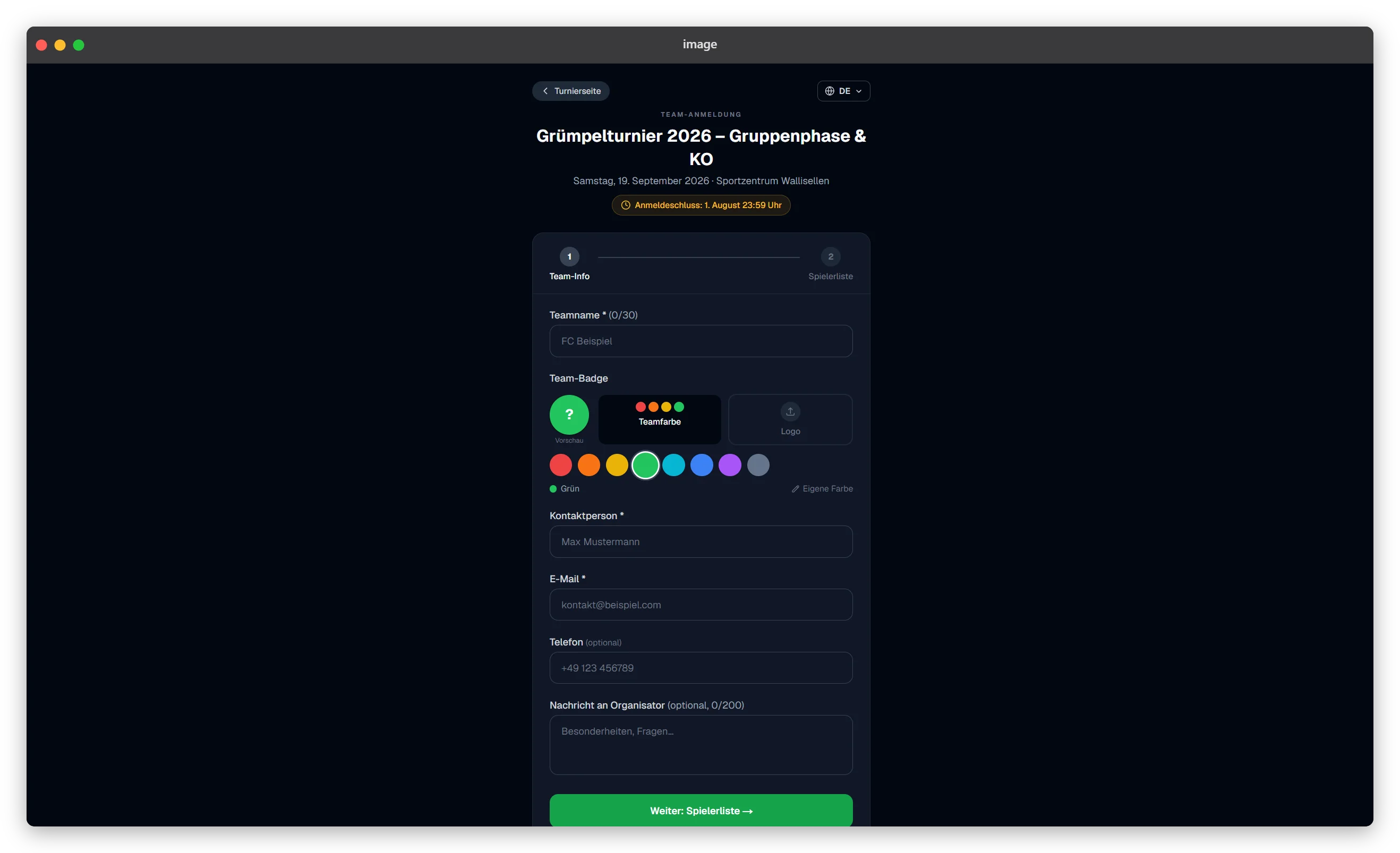
The goal isn’t to digitise every process. What matters is that the current state lives in one place only. Then helpers know which teams are confirmed, and you don’t build the schedule from outdated lists.
Step 3
Create, check and share the schedule
Once teams and format are fixed, every team needs a clear plan: opponent, kick-off time, pitch and referee if needed. For group tournaments, anstoss can distribute teams into groups with an animated draw – a nice show moment if you display it live.
anstoss then generates the schedule automatically, distributing fixtures and kick-off times across up to four pitches in parallel. Adjust the order by drag & drop; when you change a match’s kick-off time, you can shift all following matches along with it. anstoss distributes the referees you add across the matches automatically – you can adjust assignments by hand at any time.
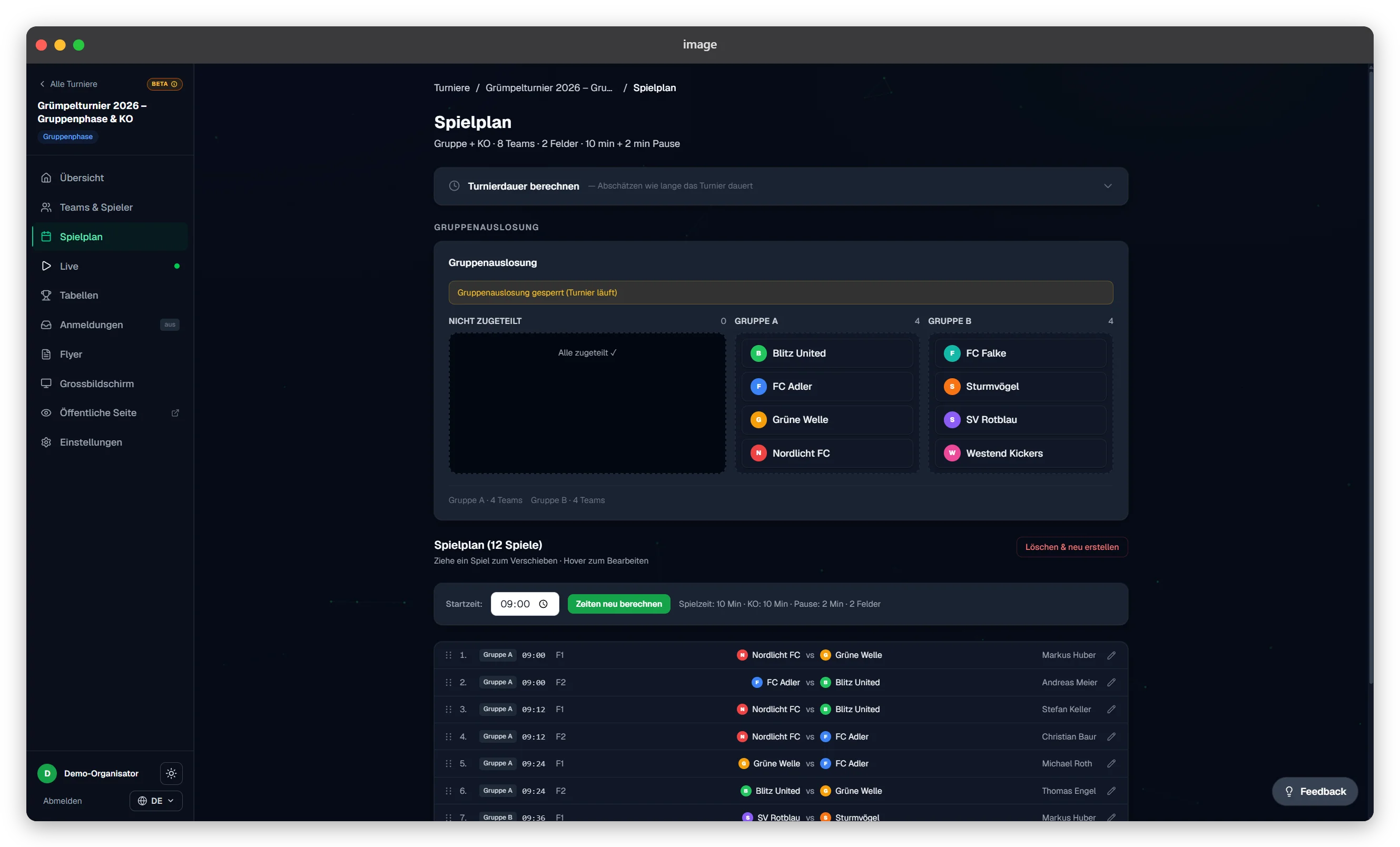
Before publishing, check the schedule against three questions:
- 1Does every team get enough rest between its matches? If you set a minimum rest per team in anstoss, the schedule takes it into account automatically and points it out when things get tight.
- 2Does every pitch have a clear order without overlaps? Conflicts are flagged before you save.
- 3Have the rules for standings, ties and qualification been communicated before the first kick-off?
Then share the schedule through one central, mobile view rather than as a file. For the notice board you can also print it, save it as a PDF or export it as an image. That cuts questions like “When does Team Blue play?” or “Where are the standings?”.
Step 4
Run results live on match day
A well-planned match day feels calm to teams and spectators even though a lot happens behind the scenes. Decide before the first match who enters results. That person confirms the score with the referee and enters it immediately – with anstoss Pro, optionally including goal scorers.
In anstoss, results, standings and the knockout bracket update automatically on the public tournament page after each entry – nobody needs to reload. Spectators need neither an account nor an app: they open the link or scan the QR code. With several pitches, that saves helpers from reconciling tables or rewriting notice boards.
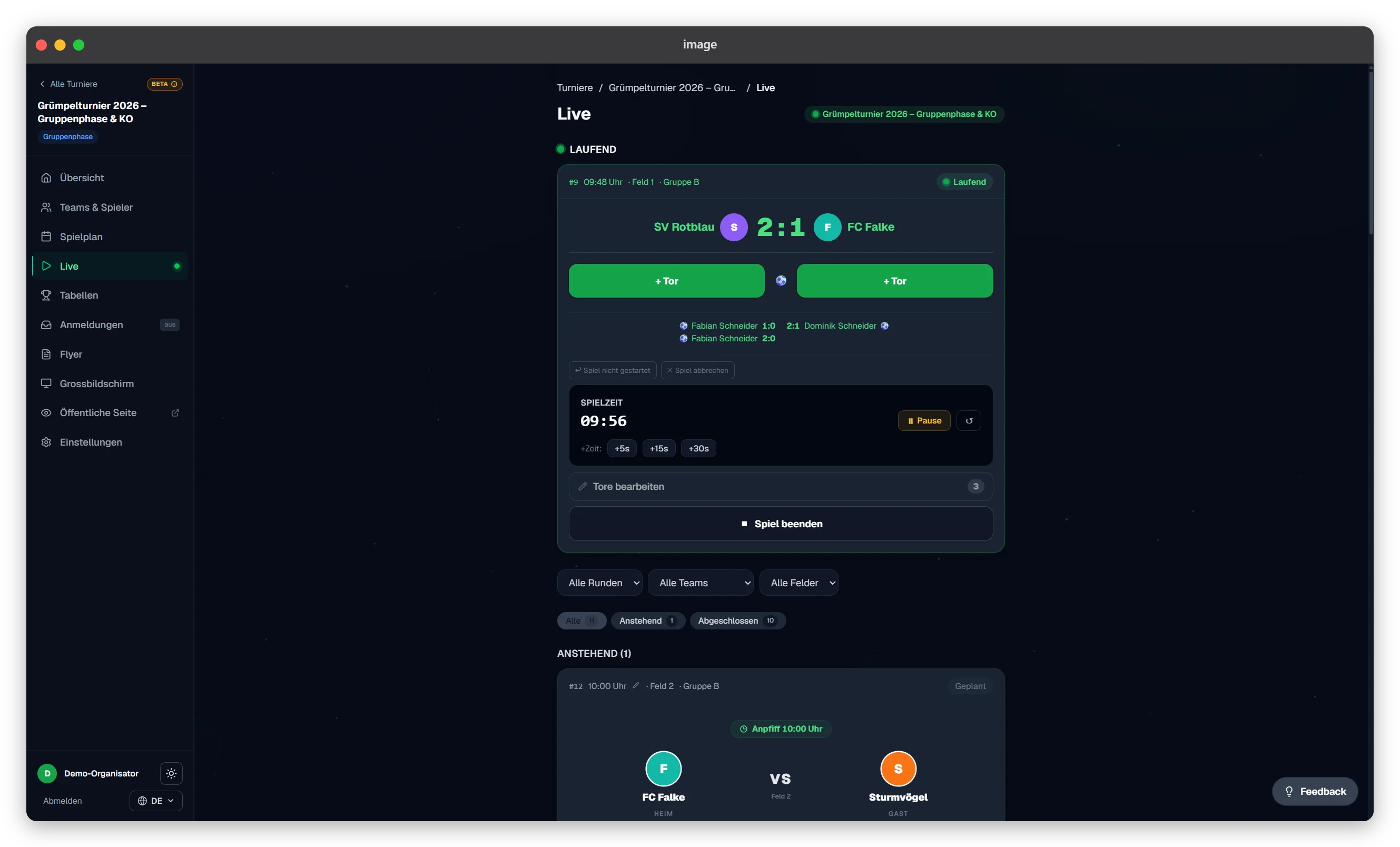
Tournament lead
Coordinates the flow and timetable and makes decisions.
Results desk
Confirms scores with the referee and enters them right away.
Help desk
Point of contact for teams and referees.
At small tournaments two roles can be combined. What matters is that everyone knows who decides and where the binding information lives.
Step 5
Turn a schedule into an event for teams and fans
Spectators don’t just want to follow the match in front of them. They want the standings, who is in the semi-finals and when their team plays next. The public tournament page puts all of that on their phone – fans can even pick a favourite team and see its matches at a glance. Put the link up as a QR code in the clubhouse or hall. See how it looks in practice in the live tournaments on anstoss.
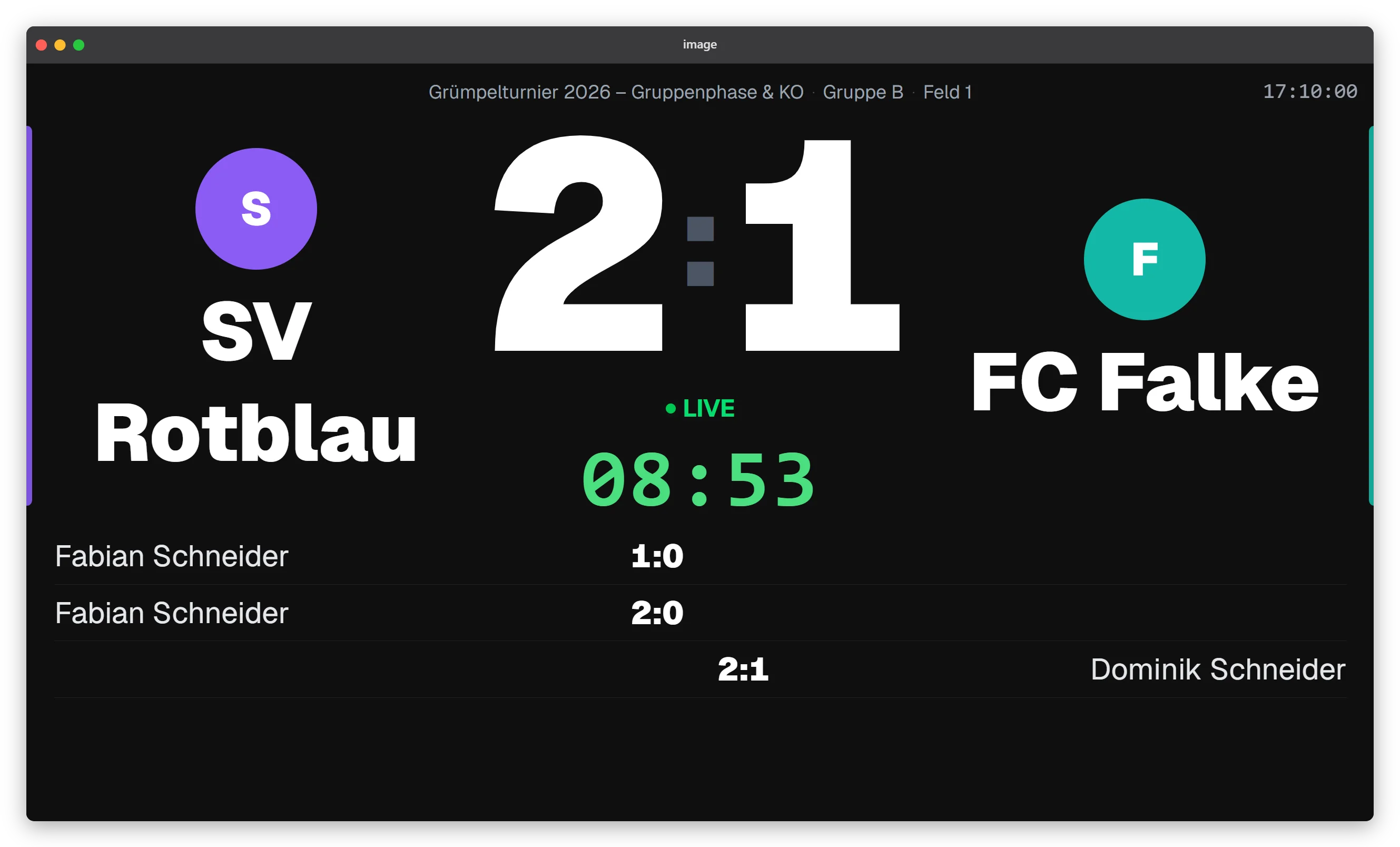
These features don’t replace good organisation, but they build excitement throughout the day and give sponsors more visibility. To attract teams or inform visitors early, Pro users can generate promo flyers straight from the tournament with their own colours, sponsor logos and a QR code to registration – for Instagram, Facebook or print. Always include date, venue, registration deadline, entry fee, registration link and a contact person.
Tick it off
The short checklist before the first kick-off
0 of 6 done
Ready for your next football tournament?
You don’t have to start with an empty spreadsheet. Create your tournament, choose the format and generate the schedule in one place – free for up to 8 teams.
Frequently asked questions
For small fields a league often works best because everyone plays everyone. If as many teams as possible should play several matches and still reach a final, a group stage with a knockout round is usually the better choice. With a tight timetable, a pure knockout reduces the number of matches. anstoss covers these three formats for free; for several consecutive stages, the Pro plan adds the custom format.
Enter teams, format, start time, match length, breaks and the number of courts played in parallel. Then check each team’s rest between matches and the changeover times before publishing. anstoss distributes fixtures and times across up to four courts automatically and can take a minimum rest per team and block breaks, such as lunch, into account.
Yes. Every tournament in anstoss gets a public page with schedule, standings, live results and knockout bracket that updates automatically. The link and QR code work without an account or app.
Yes, with anstoss Pro. Teams register via a link and you approve them in the admin portal. After approval the team receives a payment link and pays the entry fee online; the money goes via Stripe straight to your Stripe account. You see the payment status in the dashboard.
The Free plan is free forever and allows unlimited tournaments with up to eight teams – including the public tournament page, live results, standings and a schedule QR code. For larger tournaments and extra features, Pro costs a one-time EUR 39 per tournament, with no subscription.
No. anstoss runs in the browser on phone, tablet and computer and can be installed on the home screen like an app.